
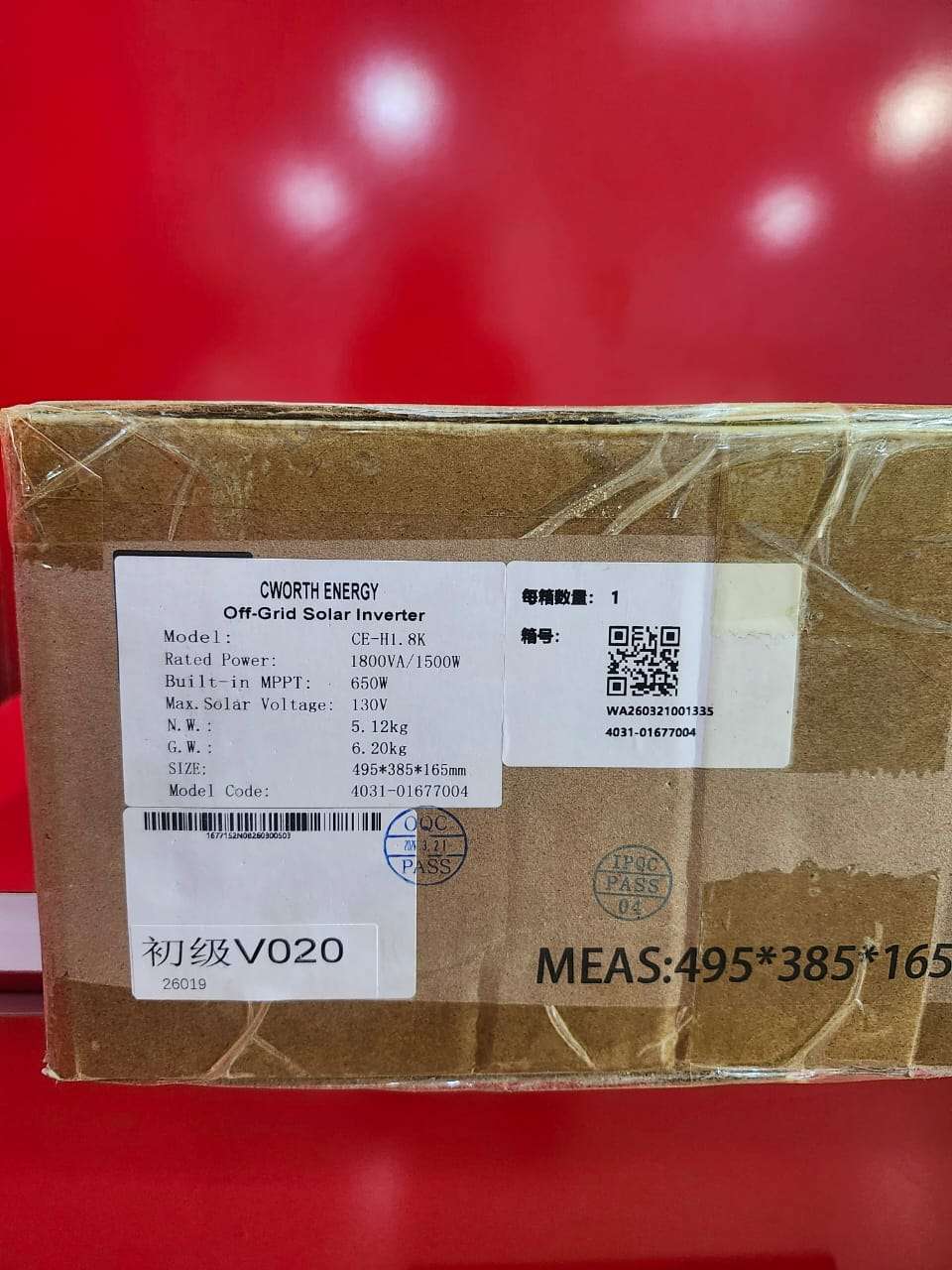
The C-Worth Energy 1800VA Hybrid Solar Inverter (CE-H1.8K) is a compact and efficient pure sine wave inverter designed to provide reliable backup power for homes, offices, shops, and small businesses. It combines a high-performance inverter, MPPT solar charge controller, and intelligent battery charger into a single unit, ensuring maximum utilization of solar energy while delivering stable and clean AC power for sensitive electrical and electronic devices.
Built with advanced MPPT technology, the inverter optimizes solar charging efficiency and supports a wide AC input voltage range for seamless operation. Its intelligent battery management system helps extend battery life, while multiple protection features safeguard both the inverter and connected appliances. The LCD display provides real-time monitoring of system performance, making operation simple and convenient.
Key Features
Rated Power: 1800VA / 1500W
Pure sine wave output
Built-in MPPT solar charge controller
12V battery system
Maximum PV Open Circuit Voltage: 130V
MPPT Operating Voltage Range: 15V–120V
Peak efficiency up to 95%
Intelligent battery charging and management
Wide AC input voltage range (90–280V)
LCD display for system monitoring
Supports generator input
Multiple protection functions including overload, short circuit, over-temperature, overcharge, and low battery protection
Compact wall-mounted design
USB/RS232 communication interface (model dependent)
Applications
Residential homes
Small offices
Shops and retail stores
Security systems
Rural electrification
Solar backup systems
Small businesses

How to Use
Step 1: Install the Inverter
Mount the inverter on a strong wall in a cool, dry, and well-ventilated location away from direct sunlight and moisture.
Step 2: Connect the Battery
Connect a 12V battery using the recommended cable size. Ensure the battery terminals are connected with the correct polarity.
Step 3: Connect Solar Panels
Connect the solar panels within the recommended PV voltage range. Ensure the panel open-circuit voltage does not exceed 130V.
Step 4: Connect Utility Power or Generator
Connect the AC input from the national grid or generator for battery charging and backup operation.
Step 5: Connect the Load
Connect household appliances or office equipment to the inverter’s AC output terminals.
Step 6: Switch On the Inverter
Turn on the battery first, then power on the inverter using the ON/OFF button. The LCD display will indicate the operating status.
Step 7: Configure Settings
Use the LCD control panel to configure:
Battery type
Charging current
Output source priority
Charging source priority
Output frequency (50Hz/60Hz)
Step 8: Monitor the System
The LCD display provides real-time information on:
Battery voltage
Solar charging status
Load percentage
Output voltage
Fault and warning messages
Safety Tips
Installation should be carried out by a qualified technician.
Use the correct cable size, breakers, and fuses.
Ensure proper grounding of the inverter.
Do not exceed the inverter’s rated load capacity.
Disconnect AC, PV, and battery connections before servicing.
Keep the ventilation openings clear to prevent overheating.
Regularly inspect battery terminals and electrical connections for safety and reliability.

CUSTOMERS’ CHATS