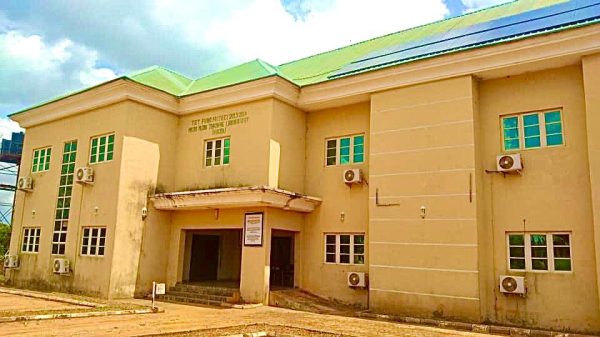
Hi 👋 , welcome to;
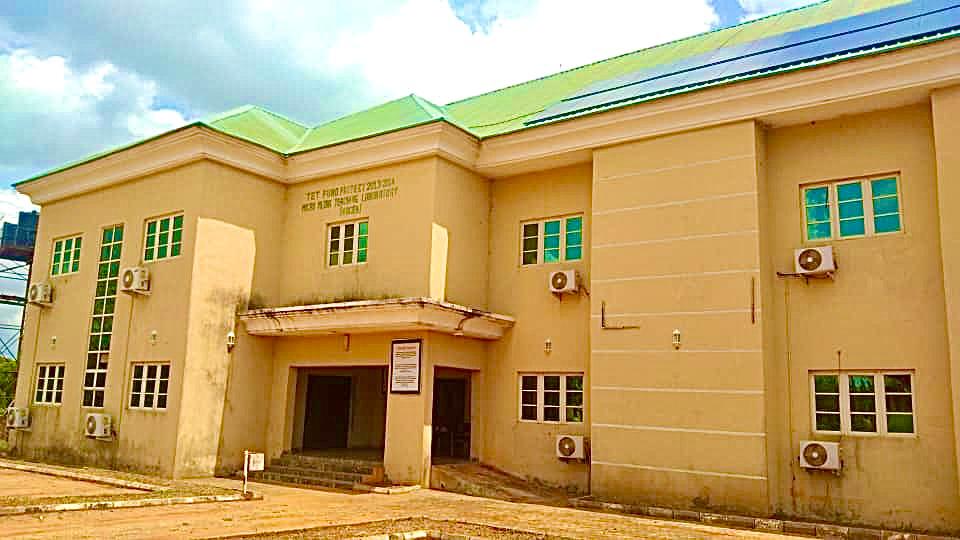
The Micro Media Teaching Lab at Nwafor Orizu College of Education, Nsugbe (NOCEN) is a specialized academic facility designed to enhance the teaching skills of student-teachers through practical, technology-supported microteaching experiences. It provides a structured environment where students can rehearse, observe, and improve their teaching techniques using audiovisual tools, peer review, and professional guidance.
This laboratory plays a vital role in bridging theoretical knowledge with practical classroom delivery, especially for students in teacher education programmes.
Purpose and Function
The primary aim of the Micro Media Teaching Lab is to:
Serve as a training ground for student-teachers to practice teaching in a controlled and feedback-rich setting.
Enhance teaching methods through the use of media tools such as projectors, smart boards, video recordings, and playback equipment.
Develop confidence, clarity, and classroom control in aspiring educators.
Facilitate self-evaluation and peer assessment through recorded teaching sessions.
Provide real-time feedback from supervisors and education professionals.
Essentially, the lab simulates a classroom environment where students can learn to teach before teaching to learn.
Facilities and Infrastructure
The lab is equipped with:
Recording and playback systems for reviewing teaching sessions.
Interactive media tools like whiteboards, LCD projectors, and digital cameras.
Classroom simulation zones arranged with student desks, teaching aids, and display boards.
Audio-visual presentation equipment to support modern teaching techniques.
Observation rooms or booths where supervisors can monitor without distracting the teaching session.
These tools are tailored to help students evaluate not just what they teach, but how they teach it.
Academic Role and Teacher Preparation
As a core component of the teacher training curriculum at NOCEN, the Micro Media Teaching Lab:
Supports microteaching courses and workshops.
Serves as a venue for practice teaching, allowing students to master lesson delivery before entering real classrooms.
Reinforces skills such as lesson planning, classroom communication, timing, content delivery, and instructional media usage.
Prepares students for the Teaching Practice (TP) Exercise, which is a requirement for graduation.
Encourages innovation in teaching through multimedia integration.
Impact on Professional Development
By using this lab, student-teachers:
Build confidence and professionalism in their teaching practice.
Learn to correct mistakes by watching themselves teach and receiving constructive feedback.
Gain exposure to technology-enhanced teaching methods, which are becoming essential in today’s classrooms.
Understand how to make learning more engaging and learner-centered.
It also helps students develop the habit of continuous self-improvement, which is crucial for career educators.
Conclusion
The Micro Media Teaching Lab at NOCEN, Nsugbe, is more than a practice space—it’s a hub of innovation, reflection, and professional growth. By combining modern media tools with pedagogical training, the lab ensures that graduates are not only qualified to teach but are also equipped to adapt, inspire, and lead in 21st-century classrooms. It remains a cornerstone of teacher preparation in the college, nurturing a new generation of confident, competent, and media-savvy educators.
1. Learn to Use Educational Media Tools
Students are trained to operate:
– Projectors, smart boards, video recorders, and digital teaching aids.
– Various e-learning platforms and software used in modern classrooms.
2. Practice Teaching with Media Support
In this lab, students:
– Conduct simulated classroom sessions (micro-teaching) using visual and audio aids.
– Improve their presentation skills, confidence, and instructional clarity.
3. Create Instructional Content
Students can:
– Design teaching slides, lesson visuals, and short educational videos.
– Learn the basics of video editing and instructional material development.
 Page Looksograph
Want a page like this? Click the black button below & let the Vicilook Team help you set it up in minutes.